
RAG stands for Retrieval-Augmented Generation — a technique that lets your AI model answer questions about documents it’s never been trained on. Instead of hallucinating an answer or saying “I don’t know,” a RAG system searches your documents for relevant content and passes it to the model as context.
In this guide, you’ll build a fully local RAG system using Ollama for the language model, nomic-embed-text for embeddings, and ChromaDB as the vector database. Everything runs on your machine — no API keys, no cloud, no data leaving your computer.
How RAG Works — The Core Concept
Without RAG: you ask a question → model generates an answer from training memory → may hallucinate facts not in its training data.
With RAG, the flow is:
- Ingest — split documents into chunks, convert each chunk to a vector embedding, store in a vector database
- Retrieve — convert the user’s question to an embedding, find the most similar document chunks via semantic search
- Generate — send the retrieved chunks + the question to the language model as context
- Answer — the model answers from the provided context rather than from memory
The result: accurate, citation-backed answers grounded in your actual documents — not fabrications.
Tools We’ll Use
| Tool | Role | Why this choice |
|---|---|---|
| Ollama + Llama 3.1 | Language model (answer generation) | Local, free, privacy-preserving |
| nomic-embed-text (via Ollama) | Create text embeddings | Fast, local, 768-dim, MIT license |
| ChromaDB | Vector database (stores/retrieves embeddings) | Simple, local, no server needed |
| Python + PyMuPDF | Document loading (PDF, TXT, MD) | Battle-tested, broad format support |
Step 1 — Install Requirements
pip install chromadb pymupdf ollamaPull the embedding model:
ollama pull nomic-embed-text
ollama pull llama3.1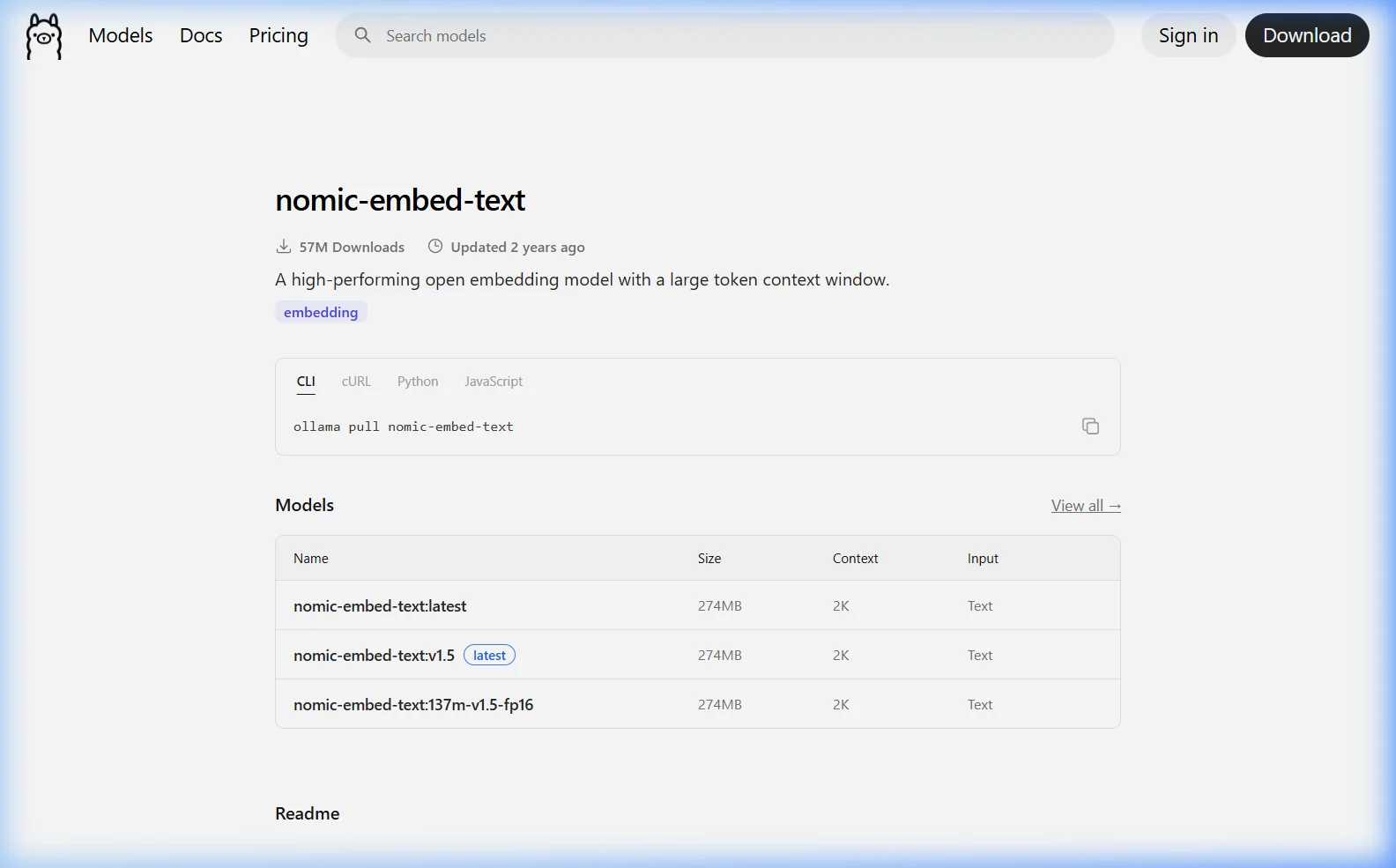
Step 2 — Build the RAG System
Create a file called rag.py. We’ll build this step-by-step, then show the complete version at the end.
Part A — Document Loader
import os
import fitz  # PyMuPDF

def load_document(filepath: str) -> str:
    """Load text from PDF, TXT, or Markdown files."""
    ext = os.path.splitext(filepath)[1].lower()

    if ext == '.pdf':
        text = ""
        with fitz.open(filepath) as doc:
            for page in doc:
                text += page.get_text()
        return text

    elif ext in ['.txt', '.md', '.py', '.csv', '.html']:
        with open(filepath, 'r', encoding='utf-8', errors='ignore') as f:
            return f.read()

    else:
        raise ValueError(f"Unsupported file type: {ext}")

def load_folder(folder_path: str) -> list[dict]:
    """Load all supported documents from a folder."""
    documents = []
    supported = {'.pdf', '.txt', '.md', '.py', '.csv', '.html'}

    for filename in os.listdir(folder_path):
        ext = os.path.splitext(filename)[1].lower()
        if ext in supported:
            filepath = os.path.join(folder_path, filename)
            try:
                text = load_document(filepath)
                documents.append({'filename': filename, 'text': text})
                print(f"Loaded: {filename} ({len(text)} chars)")
            except Exception as e:
                print(f"Skipped {filename}: {e}")

    return documents
Part B — Text Chunker
Splitting documents into manageable chunks is crucial — too large and the context window overflows, too small and you lose meaning.
def chunk_text(text: str, chunk_size: int = 500, overlap: int = 50) -> list[str]:
    """Split text into overlapping chunks by word count."""
    words = text.split()
    chunks = []

    start = 0
    while start < len(words):
        end = min(start + chunk_size, len(words))
        chunk = ' '.join(words[start:end])
        chunks.append(chunk)

        # Move forward by chunk_size minus overlap
        start += chunk_size - overlap

        # Stop if we've covered all the text
        if end == len(words):
            break

    return chunks
The overlap parameter is important — it ensures that a sentence split across two chunks doesn’t lose context at the boundary.
Part C — Embedding Function (using Ollama)
import ollama

EMBED_MODEL = "nomic-embed-text"

def get_embedding(text: str) -> list[float]:
    """Convert text to a vector embedding using Ollama."""
    response = ollama.embeddings(model=EMBED_MODEL, prompt=text)
    return response['embedding']

def get_embeddings_batch(texts: list[str]) -> list[list[float]]:
    """Get embeddings for multiple texts."""
    embeddings = []
    for i, text in enumerate(texts):
        embedding = get_embedding(text)
        embeddings.append(embedding)
        if (i + 1) % 10 == 0:
            print(f"  Embedded {i + 1}/{len(texts)} chunks...")
    return embeddings
Part D — Vector Database (ChromaDB)
import chromadb

def create_vector_store(collection_name: str = "documents") -> chromadb.Collection:
    """Create a persistent ChromaDB vector store."""
    client = chromadb.PersistentClient(path="./chroma_db")

    # Get or create collection
    collection = client.get_or_create_collection(
        name=collection_name,
        metadata={"hnsw:space": "cosine"}  # Use cosine similarity
    )
    return collection

def add_documents_to_store(
    collection: chromadb.Collection,
    documents: list[dict],
    chunk_size: int = 500,
    overlap: int = 50
):
    """Chunk documents, embed them, and add to the vector store."""
    all_chunks = []
    all_ids = []
    all_metadatas = []

    for doc in documents:
        chunks = chunk_text(doc['text'], chunk_size, overlap)
        for i, chunk in enumerate(chunks):
            chunk_id = f"{doc['filename']}_chunk_{i}"
            all_ids.append(chunk_id)
            all_chunks.append(chunk)
            all_metadatas.append({
                'filename': doc['filename'],
                'chunk_index': i,
                'total_chunks': len(chunks)
            })

    print(f"Generating embeddings for {len(all_chunks)} chunks...")
    embeddings = get_embeddings_batch(all_chunks)

    # Add to ChromaDB in batches of 100
    batch_size = 100
    for i in range(0, len(all_chunks), batch_size):
        batch_end = min(i + batch_size, len(all_chunks))
        collection.add(
            ids=all_ids[i:batch_end],
            embeddings=embeddings[i:batch_end],
            documents=all_chunks[i:batch_end],
            metadatas=all_metadatas[i:batch_end]
        )

    print(f"Added {len(all_chunks)} chunks to vector store.")
Part E — Retrieval and Answer Generation
LLM_MODEL = "llama3.1"

def retrieve_relevant_chunks(
    collection: chromadb.Collection,
    question: str,
    n_results: int = 5
) -> list[dict]:
    """Find the most relevant document chunks for a question."""
    question_embedding = get_embedding(question)

    results = collection.query(
        query_embeddings=[question_embedding],
        n_results=n_results,
        include=['documents', 'metadatas', 'distances']
    )

    chunks = []
    for doc, meta, dist in zip(
        results['documents'][0],
        results['metadatas'][0],
        results['distances'][0]
    ):
        chunks.append({
            'text': doc,
            'filename': meta['filename'],
            'similarity': 1 - dist  # Convert distance to similarity score
        })

    return chunks

def answer_question(
    collection: chromadb.Collection,
    question: str,
    n_chunks: int = 5
) -> tuple[str, list[dict]]:
    """Retrieve relevant chunks and generate an answer."""
    # Step 1: Retrieve relevant chunks
    chunks = retrieve_relevant_chunks(collection, question, n_chunks)

    # Step 2: Build context from chunks
    context_parts = []
    for i, chunk in enumerate(chunks):
        context_parts.append(
            f"[Source {i+1}: {chunk['filename']} | Relevance: {chunk['similarity']:.2f}]\n"
            f"{chunk['text']}"
        )
    context = "\n\n---\n\n".join(context_parts)

    # Step 3: Build the prompt
    system_prompt = """You are a precise document assistant. Answer questions based ONLY on the provided context.
If the answer cannot be found in the context, say: "This information is not in the provided documents."
Always cite which source(s) you used in your answer (e.g., "According to [filename]...")."""

    user_prompt = f"""Context from documents:

{context}

Question: {question}

Answer:"""

    # Step 4: Generate answer
    response = ollama.chat(
        model=LLM_MODEL,
        messages=[
            {"role": "system", "content": system_prompt},
            {"role": "user", "content": user_prompt}
        ]
    )

    return response['message']['content'], chunks
Step 3 — The Complete RAG Script
Here’s the complete, ready-to-run rag.py that ties everything together:
#!/usr/bin/env python3
"""
Local RAG System using Ollama + ChromaDB
Usage:
  Ingest documents: python rag.py ingest --folder ./my_docs
  Ask a question:   python rag.py ask "What is the return policy?"
  Interactive mode: python rag.py chat
"""

import os, sys, argparse
import ollama
import chromadb
import fitz  # PyMuPDF

# Configuration
EMBED_MODEL = "nomic-embed-text"
LLM_MODEL = "llama3.1"
DB_PATH = "./chroma_db"
COLLECTION_NAME = "documents"
CHUNK_SIZE = 500
CHUNK_OVERLAP = 50

# ── Document Loading ──────────────────────────────────────────
def load_document(filepath):
    ext = os.path.splitext(filepath)[1].lower()
    if ext == '.pdf':
        text = ""
        with fitz.open(filepath) as doc:
            for page in doc:
                text += page.get_text()
        return text
    elif ext in ['.txt', '.md', '.py', '.csv', '.html']:
        with open(filepath, 'r', encoding='utf-8', errors='ignore') as f:
            return f.read()
    raise ValueError(f"Unsupported: {ext}")

def load_folder(folder):
    docs, exts = [], {'.pdf','.txt','.md','.py','.csv','.html'}
    for fn in os.listdir(folder):
        if os.path.splitext(fn)[1].lower() in exts:
            try:
                text = load_document(os.path.join(folder, fn))
                docs.append({'filename': fn, 'text': text})
                print(f"  Loaded: {fn} ({len(text):,} chars)")
            except Exception as e:
                print(f"  Skipped {fn}: {e}")
    return docs

# ── Chunking ─────────────────────────────────────────────────
def chunk_text(text, size=CHUNK_SIZE, overlap=CHUNK_OVERLAP):
    words = text.split()
    chunks, start = [], 0
    while start < len(words):
        end = min(start + size, len(words))
        chunks.append(' '.join(words[start:end]))
        if end == len(words): break
        start += size - overlap
    return chunks

# ── Embeddings ────────────────────────────────────────────────
def embed(text):
    return ollama.embeddings(model=EMBED_MODEL, prompt=text)['embedding']

# ── Vector Store ──────────────────────────────────────────────
def get_collection():
    client = chromadb.PersistentClient(path=DB_PATH)
    return client.get_or_create_collection(
        COLLECTION_NAME, metadata={"hnsw:space": "cosine"}
    )

def ingest(folder):
    print(f"\nLoading documents from: {folder}")
    docs = load_folder(folder)
    if not docs:
        print("No supported documents found."); return

    collection = get_collection()
    ids, chunks, metas = [], [], []

    for doc in docs:
        doc_chunks = chunk_text(doc['text'])
        for i, chunk in enumerate(doc_chunks):
            ids.append(f"{doc['filename']}_c{i}")
            chunks.append(chunk)
            metas.append({'filename': doc['filename'], 'chunk': i})

    print(f"\nEmbedding {len(chunks)} chunks (this may take a few minutes)...")
    embeddings = [embed(c) for c in chunks]

    for i in range(0, len(chunks), 100):
        collection.add(
            ids=ids[i:i+100],
            embeddings=embeddings[i:i+100],
            documents=chunks[i:i+100],
            metadatas=metas[i:i+100]
        )
    print(f"Done! {len(chunks)} chunks stored in {DB_PATH}")

def ask(question, show_sources=True):
    collection = get_collection()
    if collection.count() == 0:
        print("No documents ingested yet. Run: python rag.py ingest --folder ./docs"); return

    results = collection.query(
        query_embeddings=[embed(question)],
        n_results=5,
        include=['documents','metadatas','distances']
    )

    context = ""
    sources = []
    for doc, meta, dist in zip(results['documents'][0], results['metadatas'][0], results['distances'][0]):
        sim = round(1 - dist, 3)
        context += f"[{meta['filename']} | score:{sim}]\n{doc}\n\n---\n"
        sources.append({'file': meta['filename'], 'score': sim})

    response = ollama.chat(
        model=LLM_MODEL,
        messages=[
            {"role": "system", "content": "Answer questions based ONLY on the provided context. Cite sources. If the answer isn't in the context, say so clearly."},
            {"role": "user", "content": f"Context:\n{context}\n\nQuestion: {question}"}
        ]
    )

    answer = response['message']['content']
    print(f"\nAnswer:\n{answer}")

    if show_sources:
        print("\nSources used:")
        for s in sources:
            print(f"  - {s['file']} (relevance: {s['score']})")

    return answer

def chat():
    print(f"\nRAG Chatbot | Model: {LLM_MODEL} | Embeddings: {EMBED_MODEL}")
    print("Type 'quit' to exit, 'sources on/off' to toggle source display\n")
    show_sources = True
    while True:
        q = input("Question: ").strip()
        if not q: continue
        if q.lower() == 'quit': break
        if q.lower() == 'sources on': show_sources = True; print("Sources: ON\n"); continue
        if q.lower() == 'sources off': show_sources = False; print("Sources: OFF\n"); continue
        ask(q, show_sources)
        print()

# ── Main ──────────────────────────────────────────────────────
if __name__ == "__main__":
    parser = argparse.ArgumentParser(description="Local RAG with Ollama + ChromaDB")
    subparsers = parser.add_subparsers(dest="command")

    ingest_p = subparsers.add_parser("ingest")
    ingest_p.add_argument("--folder", required=True)

    ask_p = subparsers.add_parser("ask")
    ask_p.add_argument("question")

    subparsers.add_parser("chat")

    args = parser.parse_args()

    if args.command == "ingest":
        ingest(args.folder)
    elif args.command == "ask":
        ask(args.question)
    elif args.command == "chat":
        chat()
    else:
        parser.print_help()
Step 4 — Using the RAG System
Ingest your documents
# Create a folder with your documents
mkdir docs
# Copy some .pdf or .txt files into it

# Ingest all documents in the folder
python rag.py ingest --folder ./docs

# Example output:
#   Loaded: annual_report.pdf (48,234 chars)
#   Loaded: employee_handbook.txt (23,891 chars)
#   Loaded: product_specs.md (9,102 chars)
#   Embedding 428 chunks...
#   Done! 428 chunks stored in ./chroma_db
Ask a single question
python rag.py ask "What is the company's return policy?"
python rag.py ask "What are the GPU requirements for the Pro plan?"
python rag.py ask "Summarize the Q4 revenue figures"
Interactive chat mode
python rag.py chat
# Starts an interactive session — ask as many questions as you want
# Each question queries your documents and generates a grounded answer
ChromaDB — Managing Your Vector Store
import chromadb

client = chromadb.PersistentClient(path="./chroma_db")
collection = client.get_collection("documents")

# Check how many chunks are stored
print(f"Total chunks: {collection.count()}")

# List all collections
print(client.list_collections())

# Delete and recreate (re-ingest everything)
client.delete_collection("documents")
collection = client.create_collection("documents")
Performance Tips and Optimizations
Speed up ingestion with parallel embedding
from concurrent.futures import ThreadPoolExecutor

def embed_parallel(chunks, max_workers=4):
    """Embed multiple chunks in parallel (be careful not to overwhelm Ollama)."""
    with ThreadPoolExecutor(max_workers=max_workers) as executor:
        return list(executor.map(embed, chunks))
Use mxbai-embed-large for better quality (larger, slower)
ollama pull mxbai-embed-large
# Then change EMBED_MODEL = "mxbai-embed-large" in rag.py
# 1024 dimensions vs 768 — better semantic matching, ~2x slower
Tune chunk size for your document type
| Document Type | Recommended Chunk Size | Overlap |
|---|---|---|
| Legal documents / contracts | 300–400 words | 50–75 |
| Technical documentation | 400–600 words | 50–100 |
| News articles / blogs | 200–300 words | 25–50 |
| Books / long-form text | 600–800 words | 100–150 |
| FAQ/Q&A documents | 100–200 words | 20–30 |
Frequently Asked Questions
How many documents can I ingest?
ChromaDB handles millions of embeddings on a standard laptop — storage is the main limit. A 100-page PDF typically generates 200–400 chunks. The practical limit is ingestion time (embedding each chunk takes ~0.5–1 second on CPU) and query quality (more documents means more noise in retrieval). For personal document sets (hundreds of PDFs), this setup works excellently. For massive corpora, consider dedicated vector databases like Qdrant or Weaviate.
Why is the answer wrong even though the document has the information?
This is usually a retrieval problem, not a generation problem. The right chunk isn’t being found. Try: (1) rephrase your question using terms closer to the document’s language, (2) increase n_results to retrieve more chunks, (3) decrease chunk size to increase specificity, or (4) switch to a higher-quality embedding model like mxbai-embed-large. Print the retrieved chunks to diagnose — if they’re not relevant, the embedding or chunking needs adjustment.
Can I add new documents without re-ingesting everything?
Yes — ChromaDB is persistent and additive. Run python rag.py ingest --folder ./new_docs with only the new files. Existing embeddings remain. Just make sure there are no ID collisions — the current script uses filename_chunkN as the ID, so files with the same name would overwrite existing chunks.
What’s the difference between RAG and fine-tuning?
Fine-tuning trains the model’s weights on your data — it “bakes in” the knowledge but is expensive, requires expertise, and the information becomes static. RAG retrieves information at query time — it’s dynamic, cheap, updatable, and citable. For most business use cases (knowledge bases, document search, Q&A), RAG is superior. Fine-tuning is better when you need to change the model’s style or capabilities rather than add factual knowledge.
Can I use this with DOCX or Excel files?
The current script supports PDF, TXT, MD, CSV, HTML, and Python files. For DOCX, add pip install python-docx and use python-docx to extract text. For Excel, use pandas: pd.read_excel(path).to_string() converts a spreadsheet to plain text for embedding.
What to Read Next
- ⚡ Ollama API Complete Guide →
- 🤖 Best Ollama Models for Document Analysis →
- 🔧 Ollama Modelfile Guide →
- 🖥️ Open WebUI — Chat with Documents via GUI →
What are you using RAG for? Share your use case in the comments — I’m especially curious about creative applications beyond Q&A.
About this guide: Complete RAG system tested with Ollama 0.6.x, nomic-embed-text, ChromaDB 0.5.x, and Llama 3.1 8B on Windows 11 and Ubuntu 22.04. Tested with 500+ page PDF corpora. Last updated March 2026.