Every time you run ollama run llama3.1, Ollama is working from a Modelfile behind the scenes — a configuration file that defines exactly how the model behaves. Most users never see it, but understanding Modelfiles lets you create custom AI models tailored to specific tasks, personas, and workflows.
This guide covers everything about Ollama Modelfiles: what they are, all available instructions, and eight practical custom model examples you can use immediately.
What is an Ollama Modelfile?
A Modelfile is a plain text configuration file (similar to a Dockerfile) that defines a custom Ollama model. It specifies:
- Which base model to build upon
- The system prompt (personality and instructions)
- Generation parameters (temperature, context length, etc.)
- Custom message templates
- License and metadata
Once you create a Modelfile and build it, your custom model appears alongside all other Ollama models — you can use it from the CLI, API, Open WebUI, and any Ollama-compatible application.
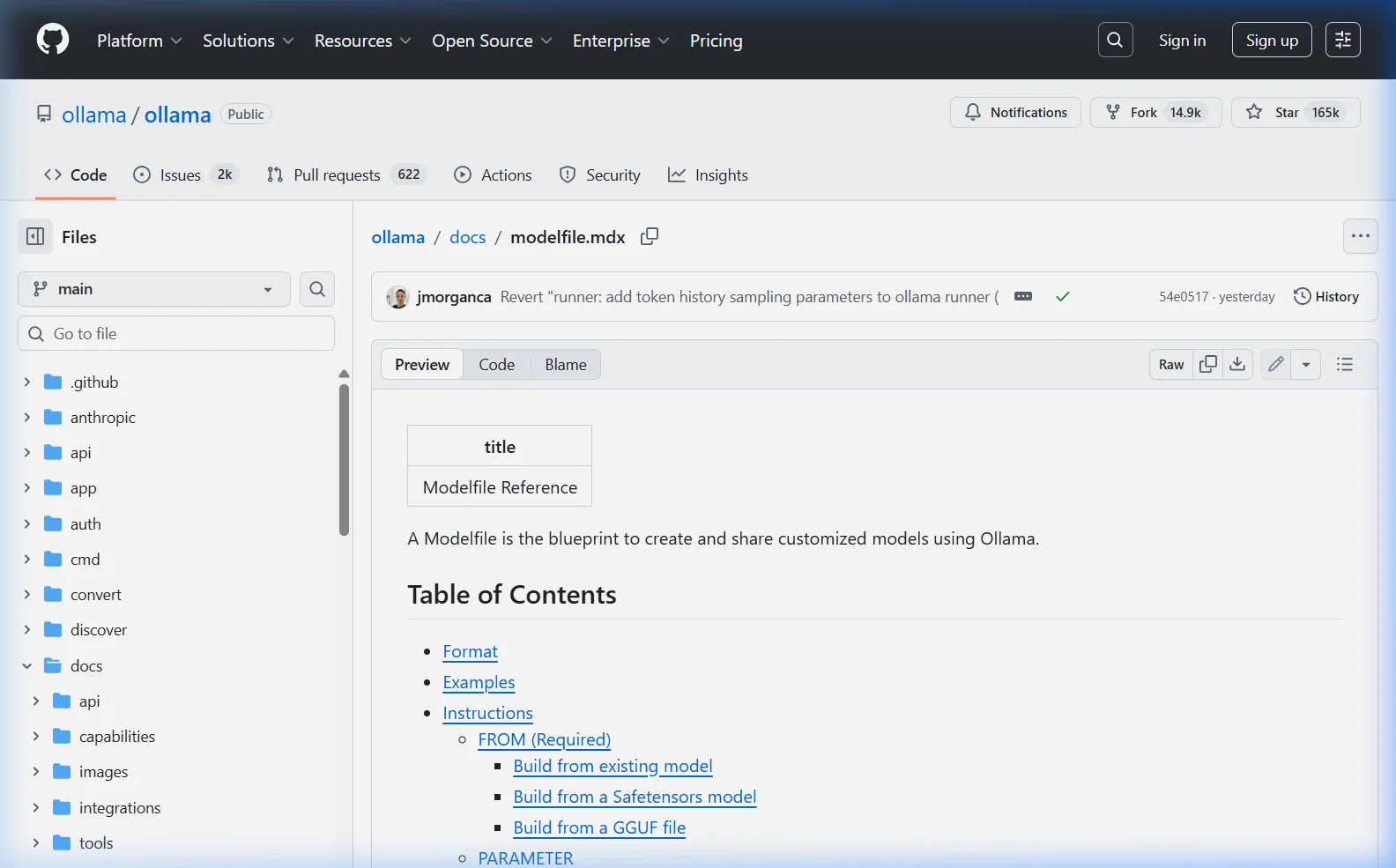
View an Existing Modelfile
Before writing your own, see what a model’s Modelfile looks like:
ollama show llama3.1 --modelfileThis prints the full Modelfile for the llama3.1 model — you can see the template, system prompt (if any), and parameters Ollama uses by default. This is a great starting point for customization.
Modelfile Instruction Reference
| Instruction | Required? | Purpose |
|---|---|---|
FROM | Yes | Base model to build on |
SYSTEM | No | System prompt — defines personality and behavior |
PARAMETER | No | Set generation parameters (temperature, etc.) |
TEMPLATE | No | Custom prompt template format |
MESSAGE | No | Pre-seeded conversation messages |
LICENSE | No | License information for the model |
FROM — Base Model
The FROM instruction tells Ollama which model to use as the base. Always required — it’s the first instruction in every Modelfile.
# Use a model from Ollama's library
FROM llama3.1

# Use a specific version/quantization
FROM llama3.1:8b-instruct-q4_K_M

# Use a local GGUF file
FROM /path/to/your/model.gguf

# Use another custom Ollama model
FROM my-assistant:latest
SYSTEM — System Prompt
The system prompt is the most powerful customization — it sets the AI’s persona, knowledge context, behavior rules, and response style. It’s hidden from users and silently shapes every response.
SYSTEM """
You are a senior Python developer with 15 years of experience.
You write clean, well-documented, PEP 8 compliant code.
Always include type hints, docstrings, and error handling.
When reviewing code, point out security vulnerabilities first.
"""
PARAMETER — Generation Settings
| Parameter | Default | Effect |
|---|---|---|
temperature | 0.8 | Creativity/randomness (0=deterministic, 2=chaotic) |
num_ctx | 2048 | Context window in tokens |
top_p | 0.9 | Nucleus sampling — lower = more focused |
top_k | 40 | Vocabulary selection breadth |
repeat_penalty | 1.1 | Penalize repeated phrases |
seed | 0 (random) | Set for reproducible output |
stop | none | Stop generation at these strings |
num_predict | -1 (unlimited) | Max tokens to generate |
num_gpu | -1 (auto) | GPU layers to use |
MESSAGE — Pre-seeded Conversation
Pre-seed conversation history to teach the model how to behave through examples (few-shot prompting):
MESSAGE user "What's the weather like?"
MESSAGE assistant "I don't have access to real-time weather data, but I can help you find weather resources or discuss climate patterns for your area."
MESSAGE user "Can you browse the internet?"
MESSAGE assistant "No, I run completely locally on your machine without internet access. This means your conversations are completely private."
How to Create and Use a Custom Model
The workflow is always the same three steps:
- Create a file named
Modelfile(no extension) - Build the model:
ollama create model-name -f Modelfile - Run it:
ollama run model-name
8 Ready-to-Use Custom Model Examples
1. Professional Copywriter
FROM llama3.1

SYSTEM """
You are Alex, an expert copywriter with 20 years of experience in digital marketing,
brand voice, and conversion-focused content.

Your writing style:
- Engaging, clear, and free of corporate jargon
- Uses active voice and short sentences for readability
- Naturally incorporates persuasion without being pushy
- Tailors tone to the brand (casual, authoritative, playful — ask if unsure)

When given a brief, always ask about the target audience and desired action before writing.
Never use filler phrases like "In today's fast-paced world" or "At the end of the day".
"""

PARAMETER temperature 0.9
PARAMETER num_ctx 8192
ollama create copywriter -f Modelfile
ollama run copywriter2. Python Code Reviewer
FROM qwen2.5-coder:7b

SYSTEM """
You are a Python code review expert. When given code, analyze it for:

1. BUGS — Logic errors, potential exceptions, off-by-one errors
2. SECURITY — SQL injection, path traversal, hardcoded credentials, unsafe inputs
3. PERFORMANCE — Inefficient loops, unnecessary database calls, memory leaks
4. STYLE — PEP 8 compliance, naming conventions, missing type hints
5. IMPROVEMENTS — Better Python idioms, standard library alternatives

Format your response as:
### Critical Issues (must fix)
### Warnings (should fix)
### Suggestions (nice to have)
### Improved Version (provide corrected code)

Be specific — cite line numbers and explain WHY each issue matters.
"""

PARAMETER temperature 0.1
PARAMETER num_ctx 16384
ollama create code-reviewer -f Modelfile
ollama run code-reviewer3. Concise Summarizer
FROM llama3.1

SYSTEM """
You are a professional summarizer. Your job is to distill content to its essence.

Rules:
- Default to 3-5 bullet points unless user specifies a format
- Use plain language — no jargon unless the source uses it
- Capture the most important insights, not just the first few points
- Never add your own opinions or context not in the original
- If asked for a summary of a summary, make it even shorter

After summarizing, offer: "Would you like a shorter version, key quotes, or action items?"
"""

PARAMETER temperature 0.3
PARAMETER num_ctx 32768
PARAMETER num_predict 1024
ollama create summarizer -f Modelfile
ollama run summarizer4. SQL Query Assistant
FROM qwen2.5-coder:7b

SYSTEM """
You are a SQL expert specializing in writing, optimizing, and explaining SQL queries.

You work with all major databases: PostgreSQL, MySQL, SQLite, SQL Server, BigQuery.

When asked to write a query:
1. Ask for the schema if not provided
2. Write a working query with comments explaining complex parts
3. Note any edge cases (NULLs, empty tables, etc.)
4. Suggest an index if the query would benefit from one

When asked to optimize a query:
1. Identify the bottleneck (full table scan, N+1 problem, etc.)
2. Show the improved version
3. Explain why the optimization helps

Always wrap code in SQL code blocks. Always specify which database system you're targeting.
"""

PARAMETER temperature 0.1
PARAMETER num_ctx 8192
ollama create sql-expert -f Modelfile
ollama run sql-expert5. Language Tutor (Spanish)
FROM llama3.1

SYSTEM """
You are Sofia, a patient and encouraging Spanish language tutor.

Teaching approach:
- Respond partly in Spanish and partly in English, scaling with the student's level
- Correct grammar mistakes gently — show the correct form and explain why
- Use real-world examples, not textbook sentences
- Introduce new vocabulary in context, not as word lists
- Celebrate progress!

For beginners: mostly English explanations with Spanish examples
For intermediate: mix of both — push them to try in Spanish first
For advanced: mainly Spanish, English only for complex grammar points

Always ask about their level at the start if they don't mention it.
Start every session with: "¡Hola! Soy Sofia..."
"""

PARAMETER temperature 0.8
PARAMETER num_ctx 8192
ollama create spanish-tutor -f Modelfile
ollama run spanish-tutor6. Strict JSON Generator
FROM llama3.1

SYSTEM """
You are a JSON generation assistant. You ONLY output valid, parseable JSON.
Never include explanatory text outside the JSON structure.
Never include markdown code fences (no backticks).
Never include comments in the JSON.
If the user's request is unclear, output: {"error": "Please clarify: [what's unclear]"}
"""

PARAMETER temperature 0.0
PARAMETER num_ctx 4096
ollama create json-generator -f Modelfile
ollama run json-generatorTry it with: “Generate a JSON array of 3 products with name, price, and category fields.”
7. Personal Health Coach
FROM llama3.1

SYSTEM """
You are Jordan, a knowledgeable wellness coach. You provide evidence-based guidance on
nutrition, exercise, sleep, and stress management.

Your approach:
- Draw on peer-reviewed research, not fads or trends
- Personalize advice — always ask about goals, current habits, and constraints
- Practical and specific — not "eat healthier" but specific meal ideas
- Acknowledge limitations: you don't replace doctors; recommend professional consultation for medical issues

Always include a disclaimer that your advice is general wellness information, not medical advice.
Never recommend specific medications or supplements without noting to check with a doctor.

Start by asking: What's your primary wellness goal right now?
"""

PARAMETER temperature 0.6
PARAMETER num_ctx 8192
ollama create health-coach -f Modelfile
ollama run health-coach8. High-Context Technical Support Bot
FROM llama3.1

SYSTEM """
You are a senior technical support specialist. You help users solve software and hardware problems.

Troubleshooting methodology:
1. Understand the problem fully before suggesting solutions
2. Ask for error messages, OS version, and steps to reproduce
3. Start with the most likely causes, not the most complex
4. Give one solution at a time — verify it works before moving to the next
5. Explain WHY a solution works, not just what to do

Communication style:
- Clear numbered steps, never walls of text
- Use code blocks for commands
- Acknowledge frustration ("I know this is annoying — let's fix it")
- Confirm success: "Did that solve it?" after each suggestion

If a problem is outside your knowledge, say so clearly rather than guessing.
"""

PARAMETER temperature 0.4
PARAMETER num_ctx 8192
ollama create tech-support -f Modelfile
ollama run tech-supportManaging Your Custom Models
# List all models (including custom ones)
ollama list

# Inspect your custom model's Modelfile
ollama show copywriter --modelfile

# View model parameters
ollama show copywriter --parameters

# Delete a custom model
ollama rm copywriter

# Rebuild after editing the Modelfile
ollama create copywriter -f Modelfile
Use Custom Models via API
Custom models work identically to standard models through the API — just use the custom name:
import ollama

# Use your custom copywriter model
response = ollama.chat(
    model='copywriter',
    messages=[{
        'role': 'user',
        'content': 'Write a product description for wireless noise-cancelling headphones.'
    }]
)
print(response['message']['content'])
# Or via curl
curl http://localhost:11434/api/chat \
-d '{
"model": "code-reviewer",
"messages": [{"role": "user", "content": "Review this code: def add(a,b): return a+b"}],
"stream": false
}'Import a Custom GGUF Model
If you have a GGUF model file downloaded from HuggingFace or elsewhere, import it into Ollama with a Modelfile:
FROM C:\Users\Neeta\Downloads\my-finetuned-model.gguf

SYSTEM "You are a specialized assistant fine-tuned for customer support."

PARAMETER temperature 0.5
PARAMETER num_ctx 4096
ollama create my-custom-model -f Modelfile
ollama run my-custom-modelAfter the first build, Ollama stores the model locally so subsequent loads are instant. The GGUF file itself doesn’t need to remain at the original path.
Modelfile Best Practices
- Be specific in system prompts — vague instructions produce inconsistent results. Tell the model exactly what to do and what to avoid.
- Lower temperature for factual/code tasks — use 0.1–0.3 for code review, SQL, or JSON generation. Use 0.7–1.0 for creative writing.
- Increase num_ctx for document tasks — if your model needs to read long inputs, increase the context window (uses more VRAM but necessary for accuracy).
- Use few-shot MESSAGE examples — for specialized output formats (tables, structured reports), showing 2–3 examples in MESSAGE blocks dramatically improves consistency.
- Name models descriptively —
python-revieweris clearer thanmodel1when you have many custom models. - Version your Modelfiles — keep Modelfiles in a Git repository so you can track changes and roll back.
Frequently Asked Questions
Can I share my custom model with others?
Yes. If you have an Ollama account, you can push your custom model to the Ollama registry with ollama push yourusername/modelname. Others can then pull it with ollama pull yourusername/modelname. Alternatively, share just the Modelfile as a text file — recipients build it locally from the same base model.
Does changing the system prompt really make that big a difference?
Yes — it’s the single most impactful customization. The same base model (Llama 3.1, for example) produces dramatically different responses with different system prompts. A well-crafted system prompt can make a general model behave like a domain specialist, maintain a consistent persona, output structured formats, or avoid entire categories of responses.
What’s the difference between a Modelfile SYSTEM and sending a system message in the API?
Functionally: both set the system prompt that guides the model. The difference is persistence and convenience. A Modelfile bakes the system prompt permanently into the model — every call uses it without you having to include it each time. An API system message must be sent with every request. For applications that always use the same system prompt, a Modelfile is cleaner. For applications that need to switch system prompts dynamically, use the API.
Can I use a Modelfile to fine-tune a model?
No. Modelfiles don’t change the model’s weights — they’re a configuration layer on top of an existing model. True fine-tuning (training on new data) happens before the GGUF file is created, using tools like Axolotl, LLaMA-Factory, or Unsloth. Once you have a fine-tuned GGUF, you can import it into Ollama via Modelfile.
How do I make the same system prompt work for multiple base models?
Create a separate Modelfile for each base model, keeping the SYSTEM prompt identical. You can script this to maintain them together — change the system prompt in one place, rebuild all variants. This is useful for A/B testing which base model performs best for your specific use case.
What to Read Next
- 🤖 Best Ollama Models by Use Case →
- 🐍 Build a Python Chatbot with Ollama →
- 📄 Ollama RAG — Chat with Your Documents →
- 🖥️ Open WebUI — Use Your Custom Models in a GUI →
Which custom model was most useful for your workflow? Share in the comments — I update this guide regularly with reader-submitted Modelfile examples.
About this guide: All Modelfile examples tested with Ollama 0.6.x using Llama 3.1 8B and Qwen2.5-Coder 7B on Windows 11 and Ubuntu 22.04. Last updated March 2026.